
How it works
No forms, no copy-pasting into spreadsheets. You talk to your agent anyway — now it keeps your pipeline, too.
Connect your agent
One command: claude mcp add with a token from Settings. Works with any MCP client — Claude Code, Codex, Cursor.
Apply & tell it
Mention applications in plain words — statuses, salaries, interviews, recruiter notes. The agent writes it all down, with attribution.
Review & decide
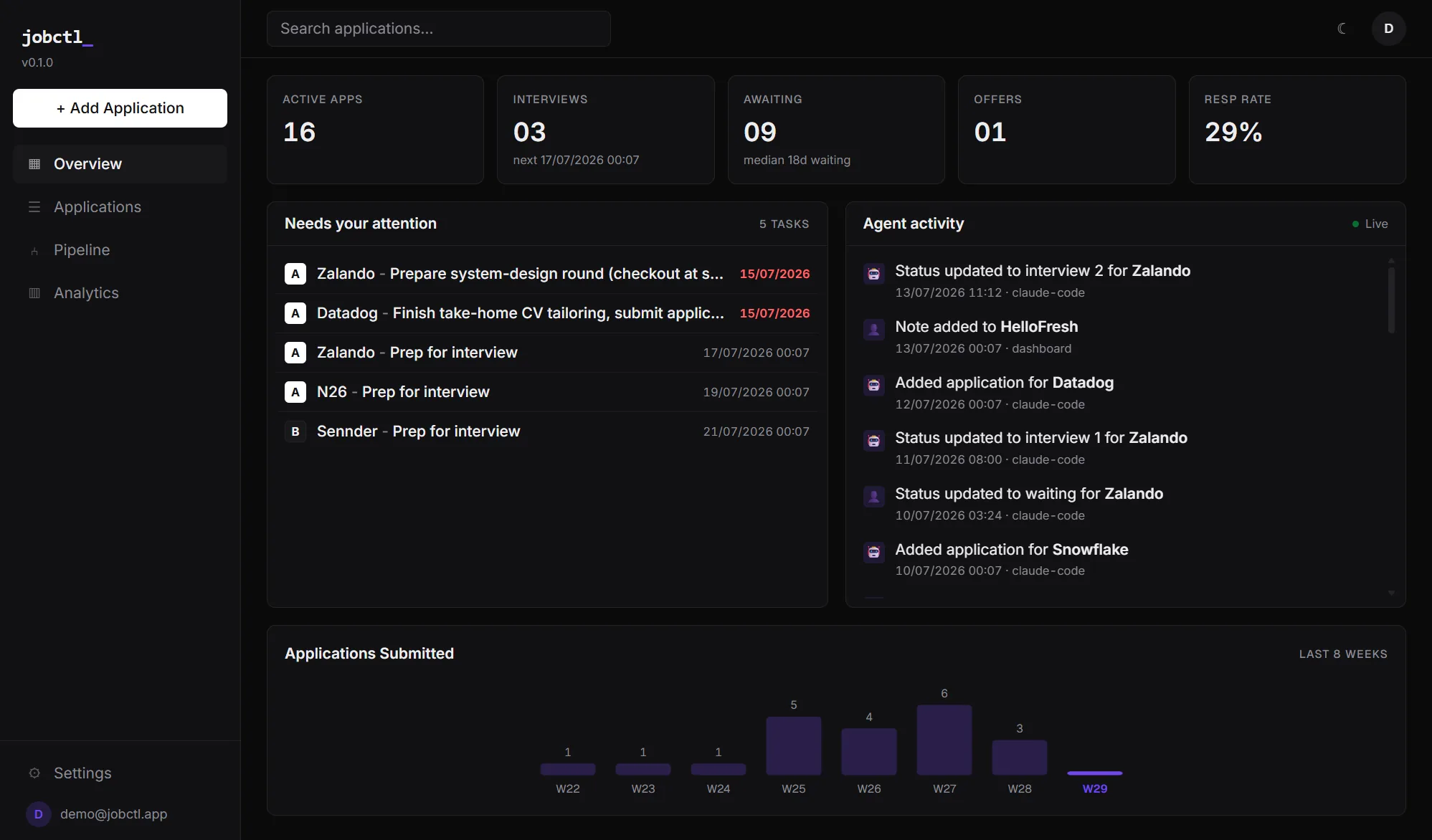
Dashboard for humans: pipeline, due actions, interview prep, analytics. Every change in a timeline — 🤖 agent or 👤 you.
Built for a real job hunt
Everything a developer actually tracks during a search — nothing you don't.
MCP-native
The agent is a first-class citizen: 8 tools from add_application to attach_analysis. Raw one-liners get parsed — dates, priorities, sources.
Match assessment
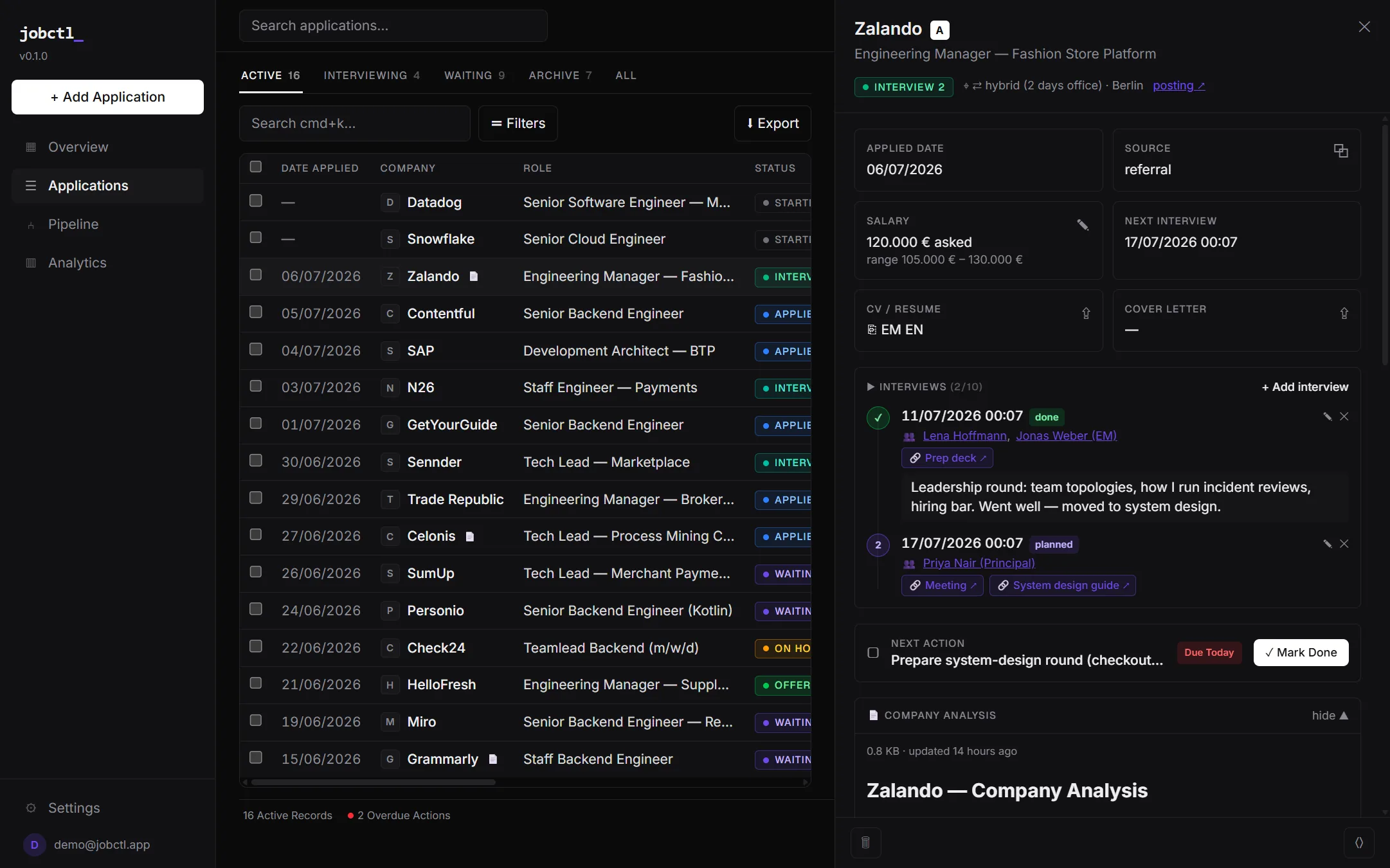
Your agent's "why this role fits you" analysis is saved on the application — strengths, gaps, salary advice — not lost in chat history.
Company analysis
Attach agent-researched markdown per company: culture, comp bands, risks, interview process. Expandable right in the detail view.
Interviews & prep
Attendees with profile links, prep materials, recaps, planned/done — and the next interview is always visible on the card.
Pipeline & analytics
Kanban, response rates, weekly activity, salary tracking in EUR. Archive old campaigns without polluting current stats.
Yours, exportable
Magic-link login, revocable API tokens, full JSON export, GDPR delete. Your job search is your data.
Start in one minute
Pick your client - most connect with OAuth, CLIs take a token from app.jobctl.app/settings. Step-by-step guides with screenshots: jobctl.app/docs.
claude mcp add --transport http jobctl https://app.jobctl.app/mcp \
  --header "Authorization: Bearer jc_..."

# then just talk:
"I applied to Bosch as Tech Lead, prio A, follow up friday"
codex mcp add jobctl --url https://app.jobctl.app/mcp

# then just talk:
"I applied to Bosch as Tech Lead, prio A, follow up friday"
# claude.ai
1. Settings → Connectors → Add custom connector → https://app.jobctl.app/mcp

# ChatGPT (Plus/Pro)
1. Settings → Security and login → enable Developer mode
2. Settings → Plugins → + → MCP endpoint: https://app.jobctl.app/mcp → Auth: OAuth

# then just talk (type @jobctl to invoke it):
"@jobctl check my applications status"
/plugin marketplace add DmytroRybka/jobctl-claude
/plugin install jobctl@jobctl

"Siemens invited me to a Get2Know call, Thursday 9:00"
✓ status → interview · interview logged with attendees · prep reminder set

"what's next in my job search?"
✓ due actions, upcoming interviews and follow-ups - straight from your pipeline
npx jobctl login jc_...
npx jobctl add "Bosch, Tech Lead, prio A, due friday, remote"
npx jobctl due
Frequently asked questions
What is jobctl?
jobctl (jobctl.app) is a free job application tracker for developers. Your AI coding agent - Claude, ChatGPT, Codex or Cursor - records applications, interviews, notes and statuses through an MCP server, while you review and plan in a fast web dashboard. It is not related to the IBM i *JOBCTL special authority or Unix job control - jobctl is a modern job-search tool.
How does jobctl work with Claude, ChatGPT or Cursor?
jobctl ships a remote MCP (Model Context Protocol) server at app.jobctl.app/mcp. Connect it once - via OAuth or an API token - and your agent gets tools like add_application, log_interview and attach_analysis. You just tell your agent "I applied to Bosch as Tech Lead, priority A, follow up Friday" and the tracker stays current.
Is jobctl free?
Yes. jobctl is free for early users - it was built by a developer during his own job hunt. Early birds keep free access.
Does jobctl write my applications with AI?
No. jobctl itself is deterministic - no LLM calls inside, so your data is never used to train models. The AI layer is your own agent: it does the research and writing in your chat, and stores the results (match analysis, company research, statuses) in jobctl so nothing is lost in chat history.
Can I export my data or delete my account?
Always. Full JSON export of applications, analyses, events and interviews, plus one-click GDPR-compliant account deletion. Your job search is your data.
What makes jobctl different from a spreadsheet or Notion board?
Nobody updates a spreadsheet at week three of a job hunt. With jobctl the agent you already talk to does the bookkeeping: parses "Bosch, Tech Lead, prio A, due friday" into structured fields, logs every status change, and reminds you what is due - while the dashboard gives you kanban, response-rate analytics and interview prep in one place.
Pricing
Built by a developer during his own job hunt. Early birds stay free.
Claim your early spot